Jack
Most people never visit the forum.
The suggested implementation where lap time impact is estimated is not possible, unfortunately.
What it is showing is the impact on the car design, +1 design point on acceleration, -2 on braking etc. just the same as engine manufacturer and other features. Is there anything about the UI/UX that made it particularly confusing here and not as obvious as the same indicator in other screens?
Hi Jack, I have been testing the realistic set up in my league.
Firstly, I have noticed that, for fuel economy and tyre degradation, the advanced set up impact is not reflected on the practice lap, leading to confusion.
For example, if my practice lap with mediums shows 6% degradation and 2.15L per lap, I know for experience that I will be able to do about 10 laps before hitting 50%, and the fuel consumption would be around 2.13-2.22 for the different push levels. But if the realistic set up said -30 in tyre economy and +20 to fuel economy, my degradation in race would be massive specially if my tyre deg had only 35 base points and my fuel use would be 2.10 or less per lap. On the first races testing this we had all managers confused, saying their tyres lasted 2-3 laps less than expected and ended up with +6L if fuel. We all have several years of experience on IGP. We then noticed that the realistic set up stats are not reflected on the practice lap tyre and fuel consumption. Having to mentally calculate it for the race is a pain. And I am sure that if more players test it they will think it is just broken.
Suggestion/solution: tyre deg and fuel usage should already reflect the realistic set up impact on each lap letting managers know the expected deg and fuel.
More observations:
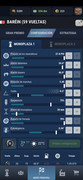
- As Ruymán said, most stats are aligned to the left on all circuits so far. I do not know how it is coded, but I would appreciate more variety.
- I tried 2 very different set ups for my drivers ( 2 car league), one following the sliders, trying to have the perfect set up. And the other driver... Well, on vibes, just checking the stats feedback and trying to get what I thought was more important for that circuit. Both drivers had very similar pace. I have to test it more to determine if it was coincidence or not. I like the idea that the sliders area is just a suggestion, but you can still do your own set up and be competitive.
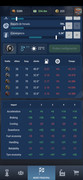
- most stats are always on the negative, not a bad thing, but I would prefer more green, or at least 50-50, I just managed 3 stats on green and about 7 on ted., and the red ones were dramatically negative.
Lastly, a pop up message should be added when you hover/click each icon, explaining what each slider does. For example:
Braking balance: a rear braking balance provides more stability and it lets the car accelerate before when exiting a corner. but the braking is not as powerful. Front balance provides stronger braking, less stability that might affect acceleration on corner exit.
That's probably too long, but you get the point. Not something direct like + braking - acceleration, but hints on what stats are affected.
Edit with some more feedback:

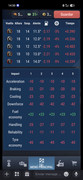
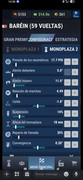
Today I tried to not follow the light blue areas and set the car up by the numbers at the bottom. I couldn't test all sliders, but I can only say that putting the slider on the light blue area makes your car worse most of the time. This is the feedback I got for the set up above:

Pretty good in my opinion.
My feedback is, either adjust the light blue area to cover a more ideal range, or simply remove it since there is no perfect set up. However I have observed that by increasing tyre pressure psi, I lose -15 in fuel economy but gain +49 in tyres. Not a big fan of tyre economy stat but that's a mega trade if you ask me... It definitely needs some tweaking, but I like it nonetheless.
Thanks!






 CEO & CTO
 [
[
